Kids GK3.3
Publisher Description
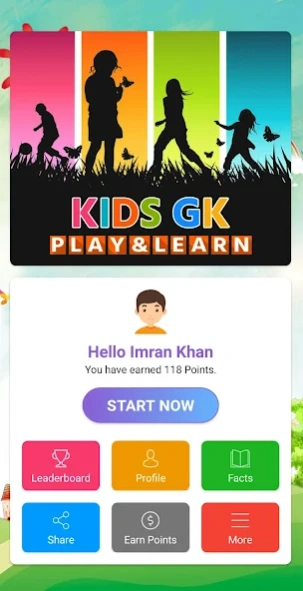

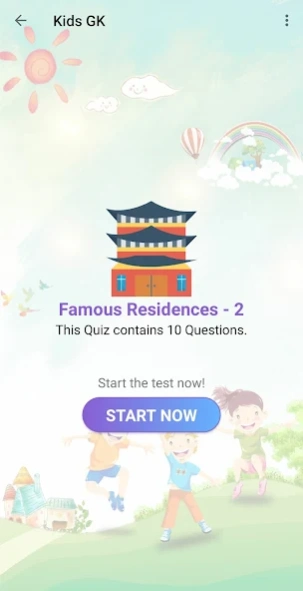

Kids GK is a learning app with 2000+ Questions, 80+ GK Quizzes, GK Facts etc.
GK Quiz is an image-based General Knowledge quiz app with 2000+ questions across 80+ quizzes, designed to make learning engaging for students and quiz enthusiasts. The app provides an interactive way to test general knowledge across various topics, using an attractive interface and multilingual support."
Key Features:
80+ quizzes with 2000+ objective-type questions
Available in Hindi and English
Multi-user mode for friendly competition
Questions range from easy to advanced levels
Image-based interactive interface
Daily new content updates
Leaderboard to track progress
General knowledge facts and insights
Audio question reading functionality
Topics Covered: (Same as before, but consider rearranging for a more general appeal)
About the Developer:
"This app is developed by GKtalk Imran (Imran Khan, an educator from Alwar, Rajasthan, recognized by Prime Minister Narendra Modi at Wembley Stadium, London).
Kids GK © 2020 by Imran Khan is licensed under CC BY-NC-ND 4.0. To view a copy of this license, visit https://creativecommons.org/licenses/by-nc-nd/4.0/
About Kids GK
The company that develops Kids GK is gktalk_imran. The latest version released by its developer is 3.3.
To install Kids GK on your Android device, just click the green Continue To App button above to start the installation process. The app is listed on our website since 2026-09-28 and was downloaded 5 times. We have already checked if the download link is safe, however for your own protection we recommend that you scan the downloaded app with your antivirus. Your antivirus may detect the Kids GK as malware as malware if the download link to com.gktalk.kidsgk is broken.
How to install Kids GK on your Android device:
- Click on the Continue To App button on our website. This will redirect you to Google Play.
- Once the Kids GK is shown in the Google Play listing of your Android device, you can start its download and installation. Tap on the Install button located below the search bar and to the right of the app icon.
- A pop-up window with the permissions required by Kids GK will be shown. Click on Accept to continue the process.
- Kids GK will be downloaded onto your device, displaying a progress. Once the download completes, the installation will start and you'll get a notification after the installation is finished.
Program Details
System requirements
Download information
Pricing
Version History
version KG.3.3
posted on 2026-09-28
Interactive Sound & Voice: Added engaging audio effects and smart text-to-speech for an immersive learning experience.
Modern Day & Night Themes: Refreshed UI with crystal-clear contrast and smooth dark mode readability.
Seamless Sign-In & Faster Performance: Upgraded Google Sign-In with Credential Manager and faster quiz loading.
version KG.29.0
posted on 2026-09-05
UI Modernization: Redesigned quiz screens with improved light/dark mode contrast and new visual buttons.
Enhanced Audio: Improved Text-to-Speech (TTS) audio feedback during quizzes.
Performance & Fixes: Smoother screen navigation, activity state fixes, and stability updates.
version KG.26.0
posted on 2025-12-29
More attractive questions and images added.
Some crash issues were resolved.
version KG.25.0
posted on 2025-09-25
Most important update to make this app user-friendly.
version KG.20.0
posted on 2024-02-20
Question Reading Function Added in Kids GK
Notification Function Added in Kids GK
version KG.17.0
posted on 2023-07-16
Question Reading Function Added
Notification Function Added
version KG.14.0
posted on 2020-06-24
Leader board added
GK Facts Section added
Offline Data for better experience.
Profile Photo will change as per your score.
version KG.12.0
posted on 2020-03-01
Guest User Function Added
Bug Fixed
version KG.11.0
posted on 2020-01-17
New Quizzes and Questions are added
Attractive Interface
Change Language Option
version KG.10.0
posted on 2018-10-27
Bugs Fixed
